Welcome to the new school year! Bishop Carroll will continue to use Canvas as our online learning platform. Canvas is a Learning Management System (LMS) widely used at both the high school and collegiate levels. Students will use Canvas to access course materials, assignments, quizzes, grades, and other class information.
Student Technology
All Bishop Carroll students are now provided with a 1:1 Chromebook for use throughout the school year. Students should use their school-issued Chromebook to access Canvas, complete assignments, and use Microsoft Office 365 and other instructional resources.
Because cell phone use is not permitted during the school day, students should not rely on the Canvas mobile app or their personal phones for schoolwork, submitting assignments, or receiving classroom updates. All school-related technology needs during the school day should be completed using the student's Chromebook.
Canvas for Parents
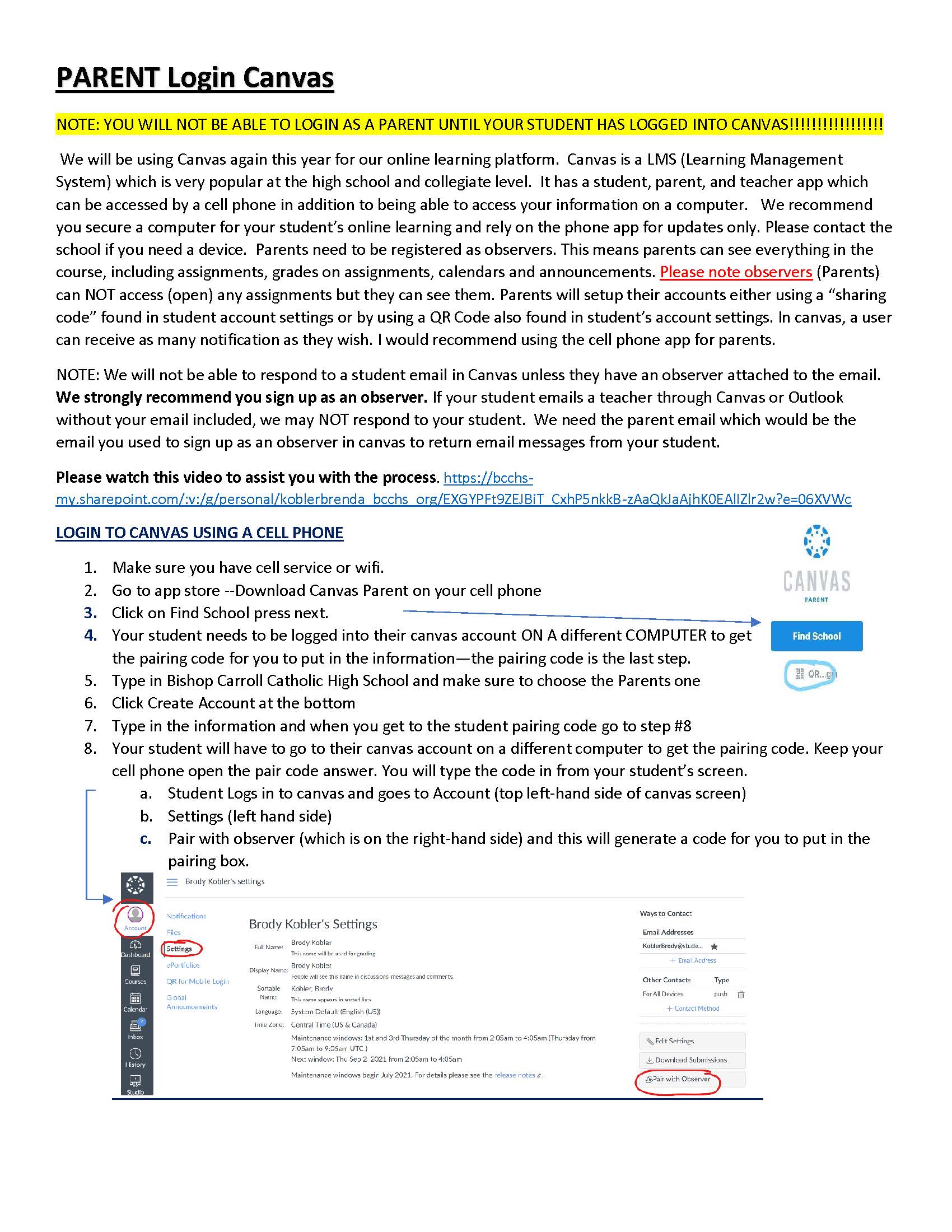
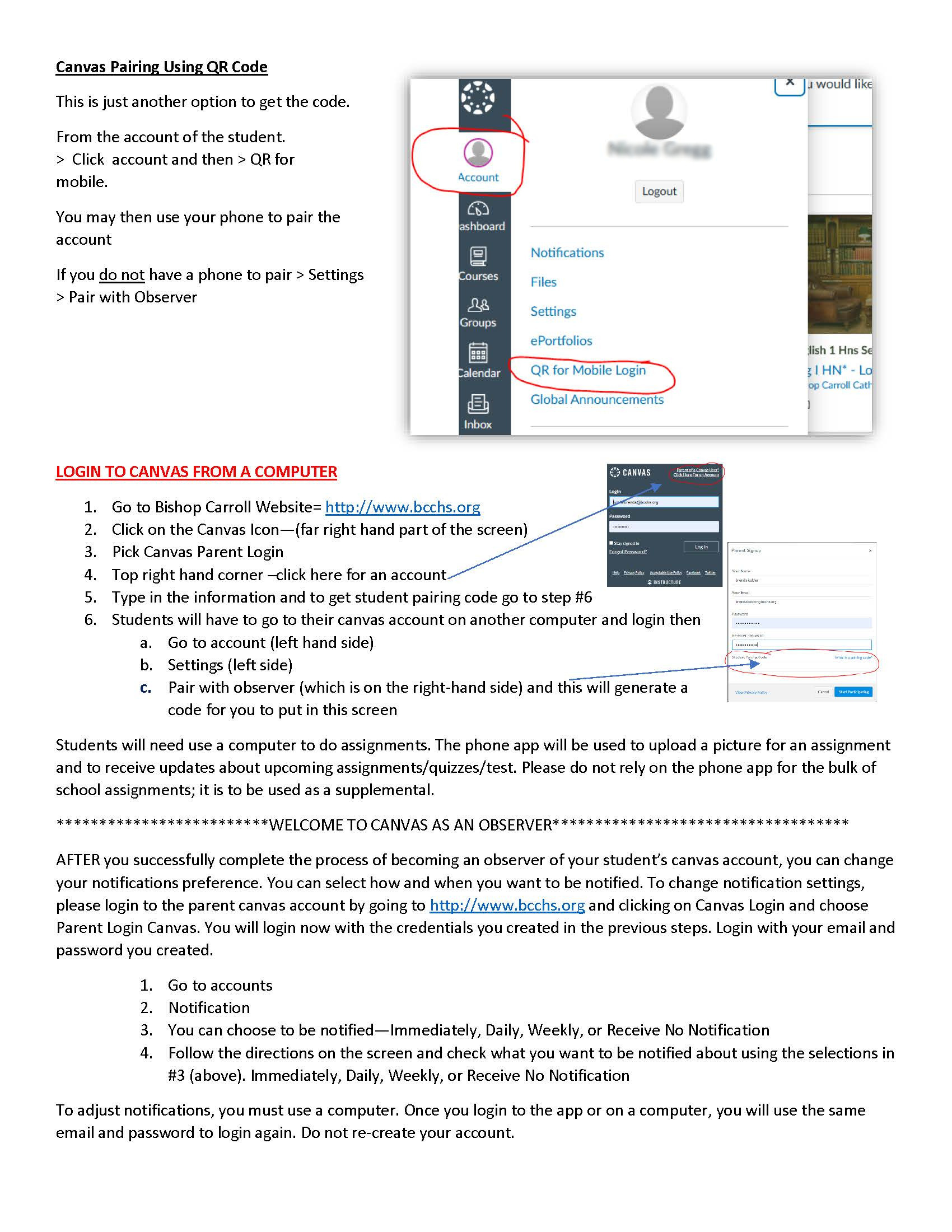
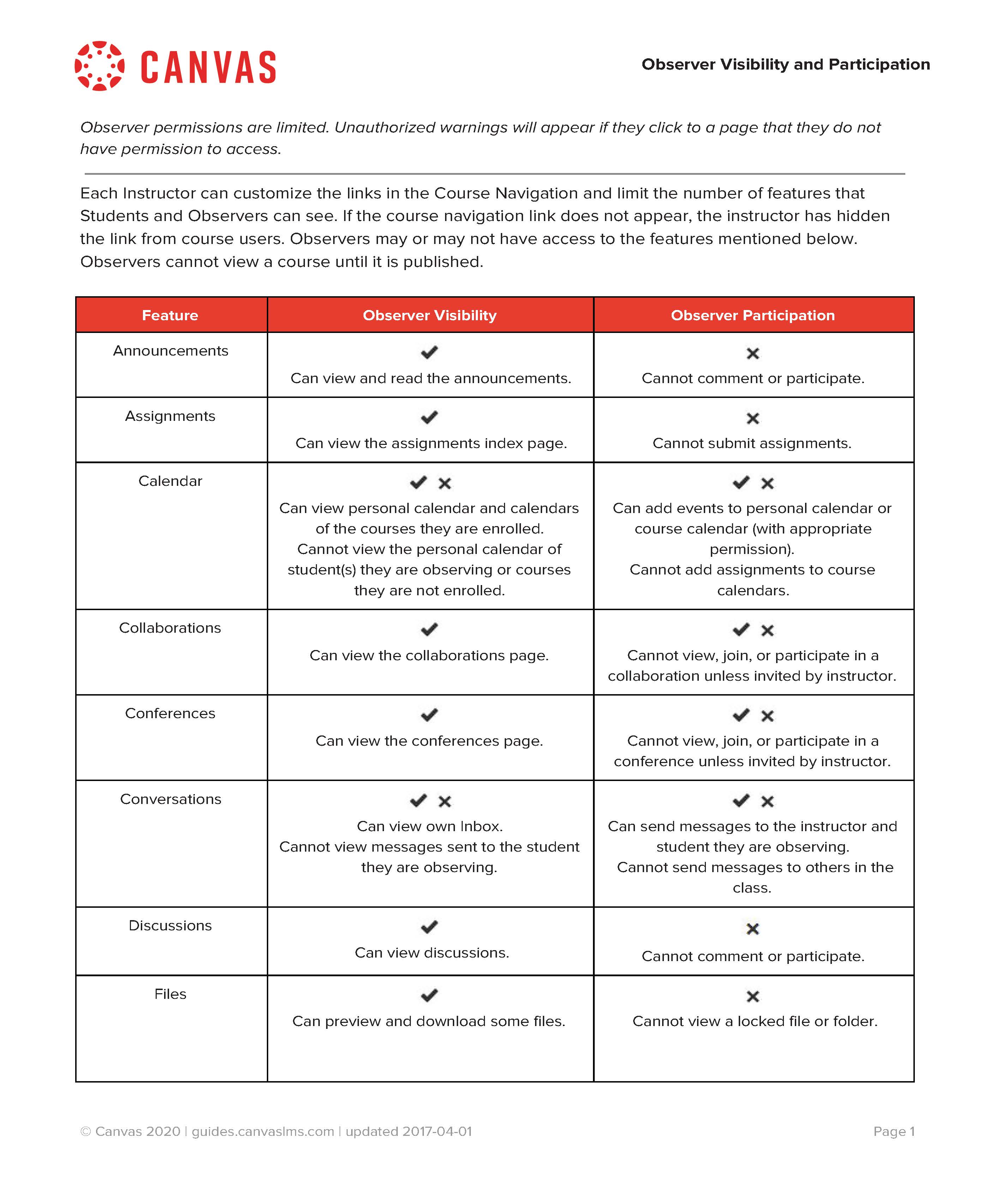
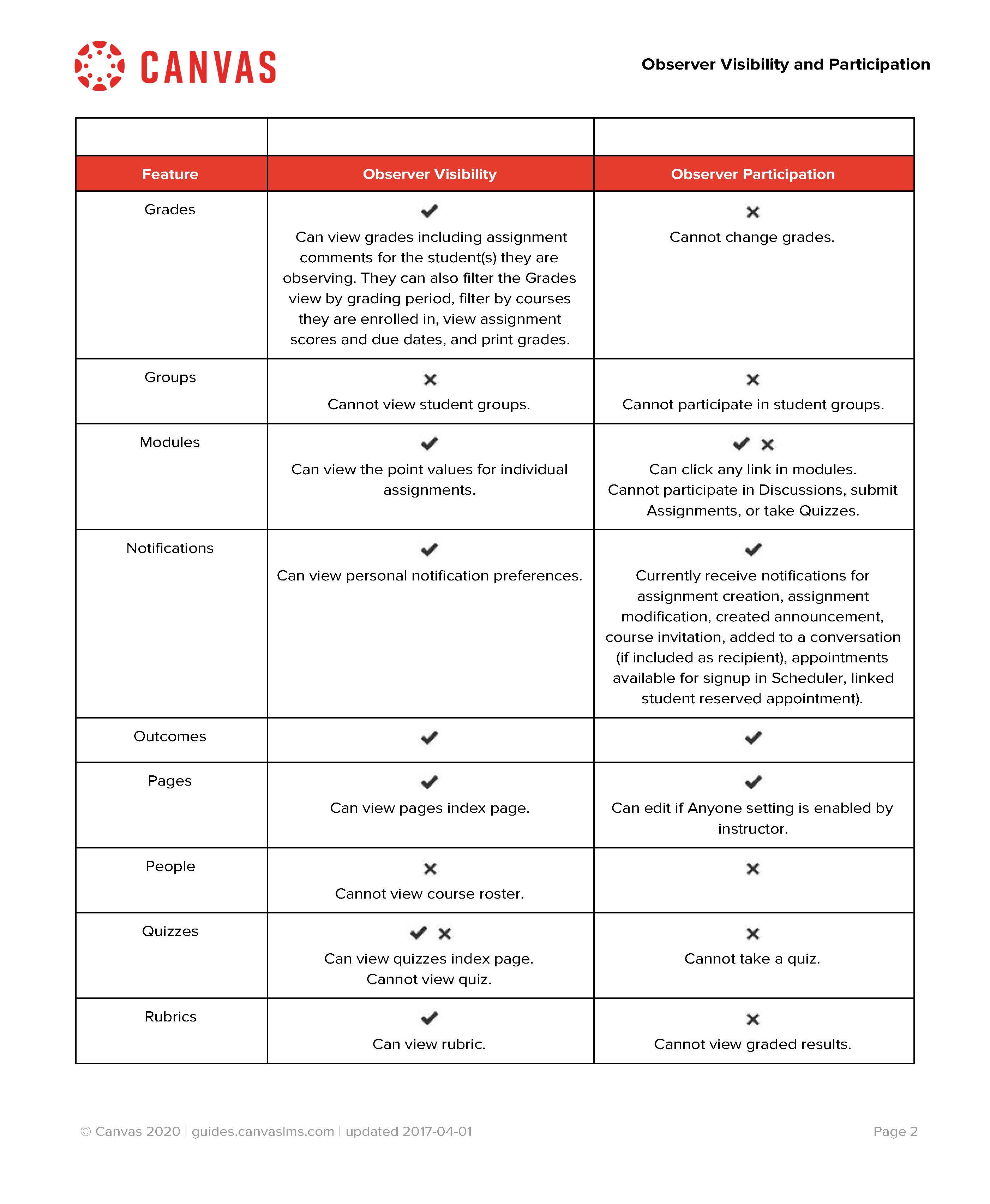
Parents can use Canvas to stay informed about their student's coursework, assignments, and academic progress. Instructions will be provided for setting up parent access to Canvas. Students must first access and log in to their Canvas account before a parent account can be connected.
Parents may choose to access Canvas through a web browser or the Canvas Parent app on their personal device.